Analytics that know which tweet made money

Every time I launched something, the same thing happened. A few signups came in, maybe a payment or two, and I had no idea where they came from.
Was it the tweet? The Reddit thread? That one blog post that ranks on page two? My analytics could tell me how many people visited. It couldn't tell me which of them paid.
So I built Supersaas Analytics. It's cookieless web analytics that shows which Sources, pages and Google Keywords bring signups and revenue. One script, under a kilobyte, and no cookies in the browser at all.
It's in beta. There's a bar on the site that says "Expect rough edges", and I mean it.
The question I actually wanted answered
Pageviews are nice. They don't pay rent.
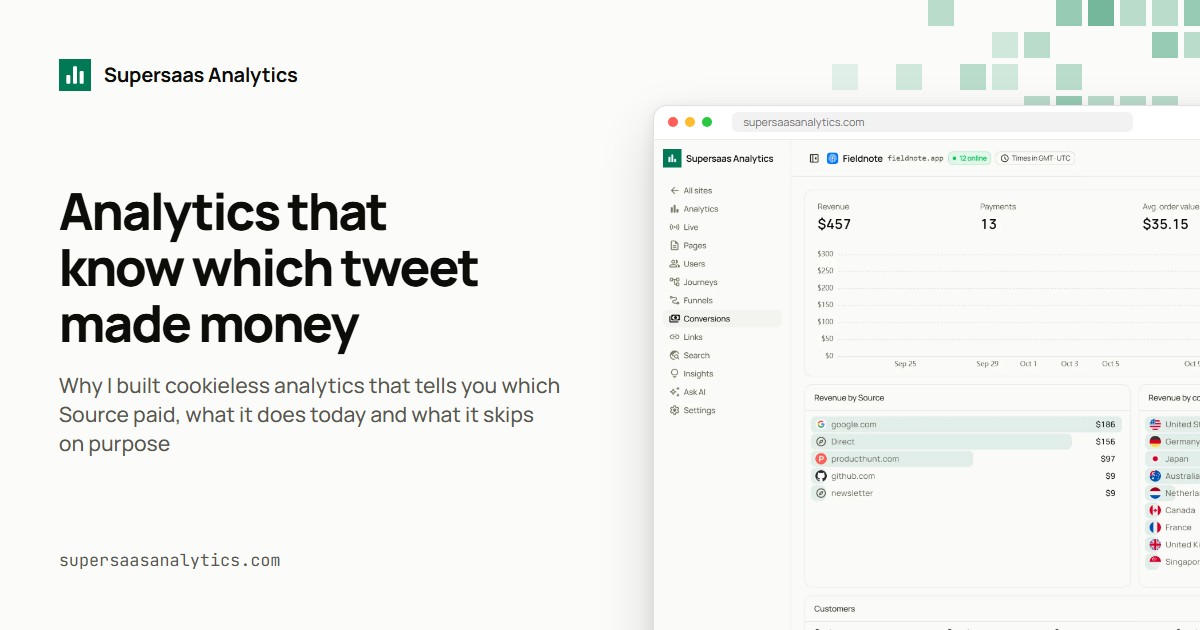
What I wanted was a table that says: this Source brought this many Visitors, this many of them hit a Goal, and this much money came from them. That's the whole idea.
To get there, the product connects to your payment provider. Right now that's Stripe or Polar. You pass a Visitor id into your checkout metadata, and when the webhook arrives, the Payment lands on the Visit it came from. The Conversions page then shows Revenue by Source and country, plus each customer's journey up to the Payment.
I'll write a full post on how that works without cookies later this week. Short version: the browser asks the snippet for today's id with sd.visitorId(), and your server puts it in the checkout.
One script tag
Install is a single line:
<script defer data-site="YOUR_SITE_ID" src="https://supersaasanalytics.com/sd.js"></script>
That script is under 1 KB gzipped. Not as a goal. There's a unit test that fails the build if it grows past 1,024 bytes.
With just that tag you get Pageviews, route changes in single page apps, Outbound links, form submits, and clicks on tel:, mailto: and WhatsApp links. There are guides for plain HTML, Nuxt and Next.js, and for proxying the script through your own domain.
What it does today
Here's the honest list of what's in there right now:
- Channels and Sources. Every Visit is filed as Direct, Search, Social, AI assistant, Email, Paid or Referral. ChatGPT, Perplexity, Gemini, Claude, Copilot and DeepSeek get their own AI assistant Channel instead of hiding somewhere else.
- Filters. Click any row and the whole dashboard filters to it. Filters stack and live in the URL, so you can bookmark "Safari Visitors from Pakistan" if that's your thing.
- Goals and Funnels. Quick add chips for WhatsApp, Phone, Email, Form submit and Outbound clicks, or a custom Goal on an Event name or a page pattern like
/blog/*. Funnels take 2 to 8 steps and allow detours. - Journeys explorer. Pick a page and see what people opened next, column by column.
- Search connection. Hook up Google Search Console or Bing Webmaster Tools and see clicks, impressions and positions per Keyword and page.
- Live. A globe and a Pageviews per minute chart for the last 30 minutes.
- Ask AI. Questions about your numbers in plain words.
- Digests and Share links. Email summaries, and a secret read-only link for clients.
What it skips on purpose
This part matters as much as the list above.
There's no cookie. Nothing goes in localStorage, sessionStorage or IndexedDB. The snippet doesn't read screen size, fonts or canvas.
The Visitor id is a hash of a daily salt, the Site id, the IP and the User-Agent. The salt is random each UTC day and gets deleted when the day ends. The IP is never stored.
That means the same person is a new Visitor tomorrow. So there's no "returning visitors" number, no cross-device tracking, no demographics and no ad audiences. I didn't forget those. I left them out because they need an identifier that lives longer than a day, and I didn't want one.
If someone signs in to your app, you can call sd.identify() to link their days. Even then, we only keep an HMAC of the id you pass, not the id.
Because nothing is stored on the device, I believe most websites can run it without a consent banner. Your own lawyer has the final word on that, and I'm not going to pretend otherwise.
Who I built it for
Mostly people like me. Indie SaaS founders who write their own code, run a few sites, and want to know which channel brings paying people.
It also fits freelancers and small agencies who need to show numbers to a client. And teams in places with strict privacy rules who'd rather own the database.
Hosted or Self-hosted
There are two ways to run it.
Hosted is $8 a month, or $79 a year. Every feature is on every plan. It includes 1M Pageviews, Outbound links and Events a month, up to 20 Sites, up to 10 Members, 3 years of data and 200 Ask AI questions a month. There's a 7-day Trial with no card.
Self-hosted is a one-time License. It runs on your own Cloudflare account, on Workers and D1 with a cron. The License key is checked offline at boot, so nothing calls home. No Quota, Site or Member limits, and Ask AI uses your own Anthropic key. Licenses sell in batches of 50. The first batch is $49, and the next one is $99.
What's next
Over the next few weeks I'll write about how each piece works. Why Visitor ids forget you at midnight. What fits in a 1 KB script. How the AI assistant Channel decides what counts. How revenue gets attributed without a cookie.
If you want to try it, the sign up page starts the Trial. If something breaks, tell me. It's beta, and that's exactly the feedback I need.